
- Регистрация
- 22 Февраль 2018
- Сообщения
- 12.790
Автор: Udemy
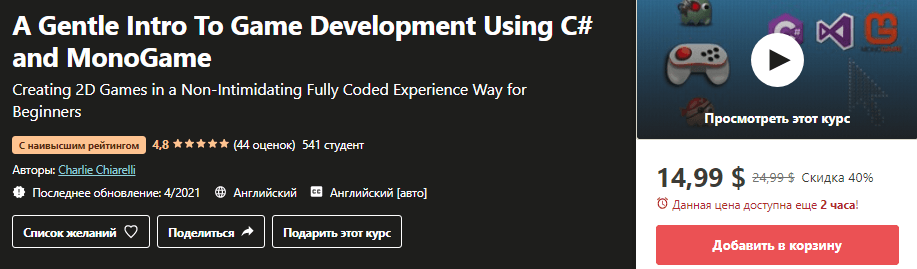
Название: A Gentle Intro To Game Development Using C# and MonoGame (2021)
Описание:
Video games are on our computers, our consoles and our phones! Lots of people play them and every year more people are making them. If you have ever played a computer game and thought, “I wonder how they do that?” or, better yet, “I want to make something like that,” then this course will get you started. Game development is what got many developers into programming. But how many of us actually ever learned how to create games? Creating games can be challenging, but it doesn’t have to be that way! MonoGame is a cross platform gaming framework based on Microsoft’s XNA framework that’s extremely easy to learn. Best of all, games you build with MonoGame will run on iOS, Android, Mac OS X, tvOS, Windows, Linux, PlayStation 4, and more—write once, play anywhere.
There’s no shortage of options when it comes to game development environments. From full-featured engines like Unity to comprehensive and complex multimedia APIs like DirectX, it can be hard to know where to start. MonoGame is a set of tools, with a level of complexity falling somewhere between a game engine and a grittier API like DirectX. It provides an easy-to-use content pipeline, and all the functionality required to create lightweight games that run on a wide variety of platforms. Best of all, MonoGame apps are written in pure C#, and you can distribute them quickly via the Microsoft Store or other similar distribution platforms.
01 Course Information:
001 Welcome
002 Why MonoGame ... Some Background
003 What You Need
004 What You are Going to Learn
02 Graphics Basics:
005 The Graphics Class ... Using the Form Paint Method
006 Using The Panel Control
007 The Checkerboard Challenge ... Your Turn
008 Mouse Events ... Part 1 Introduction
009 Mouse Events ... Part 2 Using Classes and Data Structures
010 Drag and Drop Events ... And A Challenge ... Your Turn
03 Animation Basics:
011 Image Arrays and Timers
012 Creating Your Own Animations
013 Sample Application... The Slot Machine Game
014 Moving Objects using .Left and .Top
015 The Car Race Challenge ... Your Turn
016 Moving Objects using DrawImage
017 Image Transparency
018 Collision Detection and Keyboard Events
019 Sound Effects
020 The Falling Objects Game Challenge ... Your Turn
04 Advanced Animation:
021 Double Buffering
022 Mouse Panels and Double Buffering
023 Scrolling
024 Game Development Part 1
025 Game Development Part 2 ... The Final Challenge in Plain C ... Your Turn
05 Introduction To Monogame:
026 Creating Your First Monogame Project
027 Managing Content
028 Displaying The Content ... The Sprites
029 Moving The Sprites
030 The Velocity Vector
031 Hitting the Wall
032 Drawing Text
033 Adding Background Music and Sound Effects
06 Introduction to MonoGame ... Your Turn (Build It With Me Object Oriented Style):
034 Problem 1 ... Static Images
035 Problem 2 ... Moving Images
036 Problem 3 ... Bounce off a Wall
037 Problem 4 ... Incorporating a Class
038 Problem 5 ... Adding Update and Draw To The Class
039 Problem 6 ... Accessors and Mutators
040 Problem 7 ... The Color Property
041 Problem 8 ... Adding A Background
042 Problem 9 ... Background Music
043 Problem 10 ... An Array of Bouncing Heads
044 Bonus Lecture ... A Rotating Sprite
07 MonoGame Character Animation Techniques:
045 The Kicking Baby Animation ... An Array of Texture2D
046 Creating an Animated Sprite Using A Sprite Strip
08 Game Development Using MonoGame ... The Essentials:
047 Handling Keyboard Input To Control Movement
048 More Keyboard Input ... Movement and a Sprite Strip
049 Collision Detection ... When Moving Objects with the Keyboard (Build It With Me)
050 Simple Game Part 1... Your Turn (Build It With Me)
051 Simple Game Part 2 ... Your Turn (Build It With Me)
052 Simple Game RECAP ... Collision Detection and Keyboard Movement
053 Handling Mouse Input in MonoGame
054 Creating Your First MonoGame Game ... Your Turn
09 Game Development in MonoGame ... The Next Step:
055 Game State Management
056 The Cannon Shooter Game Part 1 (Build It With Me)
057 The Cannon Shooter Game Part 2 (Build It With Me)
058 The Cannon Shooter Game Part 3 (Build It With Me) ... Plus Your Turn Again
10 Creating A Scrolling Game Using MonoGame:
059 Introduction to Scrolling
060 User Controlled Scrolling
061 Scrolling Rotating and Shooting Part 1
062 Scrolling Rotating and Shooting Part 2
063 A Scrolling Game ... Your Turn
11 The Wrap Up ... Where Do You Go From Here:
064 Student Sample Games
065 Whats The Next Step
Материал на английском языке
Продажник:
https://www.udemy.com/course/a-gent...2bb3f&publisher_id=1045339&website_id=1118709
Скачать:
Название: A Gentle Intro To Game Development Using C# and MonoGame (2021)
Описание:
Video games are on our computers, our consoles and our phones! Lots of people play them and every year more people are making them. If you have ever played a computer game and thought, “I wonder how they do that?” or, better yet, “I want to make something like that,” then this course will get you started. Game development is what got many developers into programming. But how many of us actually ever learned how to create games? Creating games can be challenging, but it doesn’t have to be that way! MonoGame is a cross platform gaming framework based on Microsoft’s XNA framework that’s extremely easy to learn. Best of all, games you build with MonoGame will run on iOS, Android, Mac OS X, tvOS, Windows, Linux, PlayStation 4, and more—write once, play anywhere.
There’s no shortage of options when it comes to game development environments. From full-featured engines like Unity to comprehensive and complex multimedia APIs like DirectX, it can be hard to know where to start. MonoGame is a set of tools, with a level of complexity falling somewhere between a game engine and a grittier API like DirectX. It provides an easy-to-use content pipeline, and all the functionality required to create lightweight games that run on a wide variety of platforms. Best of all, MonoGame apps are written in pure C#, and you can distribute them quickly via the Microsoft Store or other similar distribution platforms.
01 Course Information:
001 Welcome
002 Why MonoGame ... Some Background
003 What You Need
004 What You are Going to Learn
02 Graphics Basics:
005 The Graphics Class ... Using the Form Paint Method
006 Using The Panel Control
007 The Checkerboard Challenge ... Your Turn
008 Mouse Events ... Part 1 Introduction
009 Mouse Events ... Part 2 Using Classes and Data Structures
010 Drag and Drop Events ... And A Challenge ... Your Turn
03 Animation Basics:
011 Image Arrays and Timers
012 Creating Your Own Animations
013 Sample Application... The Slot Machine Game
014 Moving Objects using .Left and .Top
015 The Car Race Challenge ... Your Turn
016 Moving Objects using DrawImage
017 Image Transparency
018 Collision Detection and Keyboard Events
019 Sound Effects
020 The Falling Objects Game Challenge ... Your Turn
04 Advanced Animation:
021 Double Buffering
022 Mouse Panels and Double Buffering
023 Scrolling
024 Game Development Part 1
025 Game Development Part 2 ... The Final Challenge in Plain C ... Your Turn
05 Introduction To Monogame:
026 Creating Your First Monogame Project
027 Managing Content
028 Displaying The Content ... The Sprites
029 Moving The Sprites
030 The Velocity Vector
031 Hitting the Wall
032 Drawing Text
033 Adding Background Music and Sound Effects
06 Introduction to MonoGame ... Your Turn (Build It With Me Object Oriented Style):
034 Problem 1 ... Static Images
035 Problem 2 ... Moving Images
036 Problem 3 ... Bounce off a Wall
037 Problem 4 ... Incorporating a Class
038 Problem 5 ... Adding Update and Draw To The Class
039 Problem 6 ... Accessors and Mutators
040 Problem 7 ... The Color Property
041 Problem 8 ... Adding A Background
042 Problem 9 ... Background Music
043 Problem 10 ... An Array of Bouncing Heads
044 Bonus Lecture ... A Rotating Sprite
07 MonoGame Character Animation Techniques:
045 The Kicking Baby Animation ... An Array of Texture2D
046 Creating an Animated Sprite Using A Sprite Strip
08 Game Development Using MonoGame ... The Essentials:
047 Handling Keyboard Input To Control Movement
048 More Keyboard Input ... Movement and a Sprite Strip
049 Collision Detection ... When Moving Objects with the Keyboard (Build It With Me)
050 Simple Game Part 1... Your Turn (Build It With Me)
051 Simple Game Part 2 ... Your Turn (Build It With Me)
052 Simple Game RECAP ... Collision Detection and Keyboard Movement
053 Handling Mouse Input in MonoGame
054 Creating Your First MonoGame Game ... Your Turn
09 Game Development in MonoGame ... The Next Step:
055 Game State Management
056 The Cannon Shooter Game Part 1 (Build It With Me)
057 The Cannon Shooter Game Part 2 (Build It With Me)
058 The Cannon Shooter Game Part 3 (Build It With Me) ... Plus Your Turn Again
10 Creating A Scrolling Game Using MonoGame:
059 Introduction to Scrolling
060 User Controlled Scrolling
061 Scrolling Rotating and Shooting Part 1
062 Scrolling Rotating and Shooting Part 2
063 A Scrolling Game ... Your Turn
11 The Wrap Up ... Where Do You Go From Here:
064 Student Sample Games
065 Whats The Next Step
Материал на английском языке
Продажник:
https://www.udemy.com/course/a-gent...2bb3f&publisher_id=1045339&website_id=1118709
Скачать:
Доступ к материалам
Ссылки на скачивание защищены
Войдите в аккаунт или зарегистрируйтесь, чтобы продолжить.