
- Регистрация
- 22 Февраль 2018
- Сообщения
- 12.790
Автор: Pluralsight
Название: Vue.js Fundamentals (2021)
Описание:
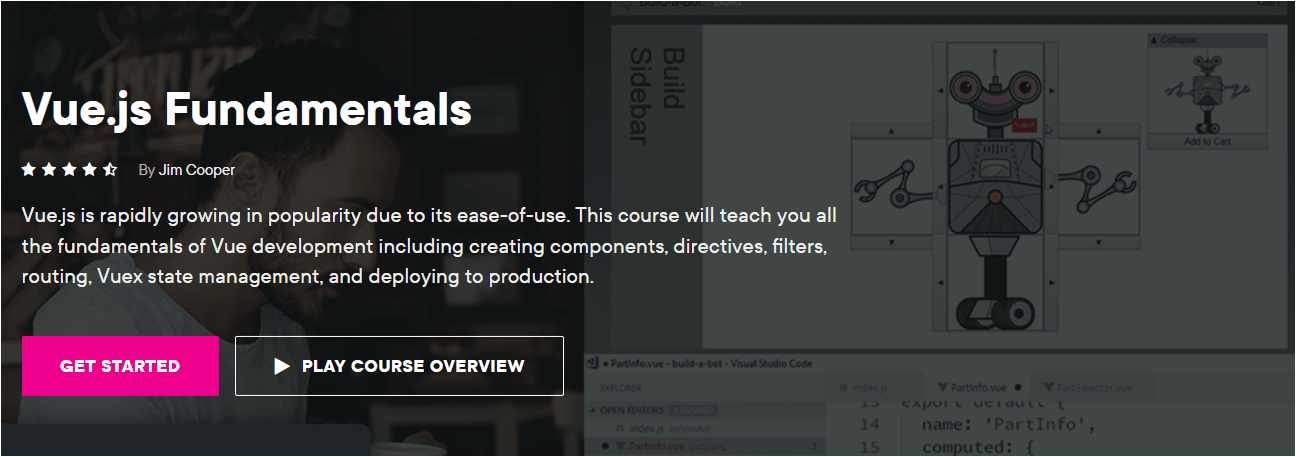
Vue.js - один из самых легковесных и приятных для front-end разработки фреймворков для построения современных веб-приложений, так же в нём имеется много важных концептов, которые нужно изучить дабы стать опытным Vue разработчиком. В этом курсе вы приобретёте все основополагающие знания для построения устойчивого, готового к продушену, Vue приложения. Для начала вы создадите свой собственный проект с нуля используя Vue CLI, включая создание компонентов, управления их общением с друг другом. Затем вы изучите как создавать пути и навигацию по страницам, управлением состоянием и общением с сервером используя Vuex, создание пользовательских директив. И наконец вы развернёте своё приложения в продакшн.
Содержание:
Course Overview
Introduction
Gaining a Conceptual Understanding of Vue
Setting up the Environment
Creating a New Project with the Vue CLI
Creating the Home Page
Introduction
Global Components vs. Local Components
Creating Your First Component
Binding Attributes to Data with v-bind
Binding to Events with v-on
Using Shorthand Bindings
Binding to Computed Properties
Displaying Data with Interpolation
Conditionally Displaying Content with v-if and v-show
Repeating Elements with v-for
Styling Components
Styling Child Components
Conditionally Applying Styles with Style Bindings
Conditionally Applying Classes with Class Bindings
Using SASS and Other CSS Pre-processors
Using Component Lifecycle Hooks
Reducing Duplication with Mixins
Using the Composition API to Separate Concerns
Making Components Reactive with the Reactivity API
Demo - Using the Composition and Reactivity APIs Together
Summary
Introduction
Creating Child Components
Using Props to Share Data with Child Components
Validating Props
Passing Data to Parent Components with Events
Injecting Content into a Child Component with Slots
Using Teleport to Render Content Elsewhere in the Application
Using ProvideInject to Supply Data to Deeply Nested Components
Summary
Introduction
Adding Routing to Your App
Linking to Routed Pages
Styling Links Based on the Active Route
Navigating from Code
Working with Route Params
Passing Params as Props
Using Nested Routes
Using Named Views
Enabling HTML5 History Mode
Preventing Pages from Loading with Navigation Guards
Preventing Navigation Away from Pages with Navigation Guards
Summary
Introduction
Creating a Vuex Store
Changing Vuex Store State with Mutations
Retreiving Items from the Vuex Store
Using Vuex Getters to Return Calculated Data
Using Actions to Work with APIs and Asynchronous Data
Using Actions to Save Data to an API
Returning Promises from Actions
Organizing the Store with Modules
Namespacing Modules
Accessing Namespaced Getters
Understanding Global and Namespaced State
Using the Vuex MapState Helper
Using the Vuex MapGetters Helper
Using the Vuex MapActions Helper
Using the Vuex MapMutations Helper
Summary
Introduction
Creating a Custom Directive
Passing Data to Directives
Using Directive Lifecycle Hooks
Making Directives Available Globally
Creating a Custom Filter
Declaring Filters Globally
Summary
Introduction
Creating a Basic Vue.js Build with the CLI
Using Environment Variables and Build Modes
Deploying to a Production Webserver
Handling Deep Linking on the Server
Inspecting the Built-in Webpack Config
Customizing Webpack Config
Summary
Материал на английском с русскими субтитрами
Подробнее:
Скачать:
Название: Vue.js Fundamentals (2021)
Описание:
Vue.js - один из самых легковесных и приятных для front-end разработки фреймворков для построения современных веб-приложений, так же в нём имеется много важных концептов, которые нужно изучить дабы стать опытным Vue разработчиком. В этом курсе вы приобретёте все основополагающие знания для построения устойчивого, готового к продушену, Vue приложения. Для начала вы создадите свой собственный проект с нуля используя Vue CLI, включая создание компонентов, управления их общением с друг другом. Затем вы изучите как создавать пути и навигацию по страницам, управлением состоянием и общением с сервером используя Vuex, создание пользовательских директив. И наконец вы развернёте своё приложения в продакшн.
Содержание:
Course Overview
Introduction
Gaining a Conceptual Understanding of Vue
Setting up the Environment
Creating a New Project with the Vue CLI
Creating the Home Page
Introduction
Global Components vs. Local Components
Creating Your First Component
Binding Attributes to Data with v-bind
Binding to Events with v-on
Using Shorthand Bindings
Binding to Computed Properties
Displaying Data with Interpolation
Conditionally Displaying Content with v-if and v-show
Repeating Elements with v-for
Styling Components
Styling Child Components
Conditionally Applying Styles with Style Bindings
Conditionally Applying Classes with Class Bindings
Using SASS and Other CSS Pre-processors
Using Component Lifecycle Hooks
Reducing Duplication with Mixins
Using the Composition API to Separate Concerns
Making Components Reactive with the Reactivity API
Demo - Using the Composition and Reactivity APIs Together
Summary
Introduction
Creating Child Components
Using Props to Share Data with Child Components
Validating Props
Passing Data to Parent Components with Events
Injecting Content into a Child Component with Slots
Using Teleport to Render Content Elsewhere in the Application
Using ProvideInject to Supply Data to Deeply Nested Components
Summary
Introduction
Adding Routing to Your App
Linking to Routed Pages
Styling Links Based on the Active Route
Navigating from Code
Working with Route Params
Passing Params as Props
Using Nested Routes
Using Named Views
Enabling HTML5 History Mode
Preventing Pages from Loading with Navigation Guards
Preventing Navigation Away from Pages with Navigation Guards
Summary
Introduction
Creating a Vuex Store
Changing Vuex Store State with Mutations
Retreiving Items from the Vuex Store
Using Vuex Getters to Return Calculated Data
Using Actions to Work with APIs and Asynchronous Data
Using Actions to Save Data to an API
Returning Promises from Actions
Organizing the Store with Modules
Namespacing Modules
Accessing Namespaced Getters
Understanding Global and Namespaced State
Using the Vuex MapState Helper
Using the Vuex MapGetters Helper
Using the Vuex MapActions Helper
Using the Vuex MapMutations Helper
Summary
Introduction
Creating a Custom Directive
Passing Data to Directives
Using Directive Lifecycle Hooks
Making Directives Available Globally
Creating a Custom Filter
Declaring Filters Globally
Summary
Introduction
Creating a Basic Vue.js Build with the CLI
Using Environment Variables and Build Modes
Deploying to a Production Webserver
Handling Deep Linking on the Server
Inspecting the Built-in Webpack Config
Customizing Webpack Config
Summary
Материал на английском с русскими субтитрами
Подробнее:
🔒
Подробности доступны после входа
Войдите или создайте аккаунт, чтобы посмотреть скрытую информацию.
Скачать:
Доступ к материалам
Ссылки на скачивание защищены
Войдите в аккаунт или зарегистрируйтесь, чтобы продолжить.